WARNING
This page is machine-translated by Gemini.
Guide to Simple Replace
Simple Replace is inspired by the convenient F2 Rename feature in modern programming IDEs.
Unlike ordinary text replacement, Simple Replace automatically records every replacement event into 01_REF/auto_replace_log.jsonl. This log serves as valuable translation assets—automatically functioning as termbases and auto-completion candidates in subsequent projects!
We strongly recommend actively leveraging Simple Replace when translating with SheepWeave.
How to Use Simple Replace
Select the text you wish to replace.
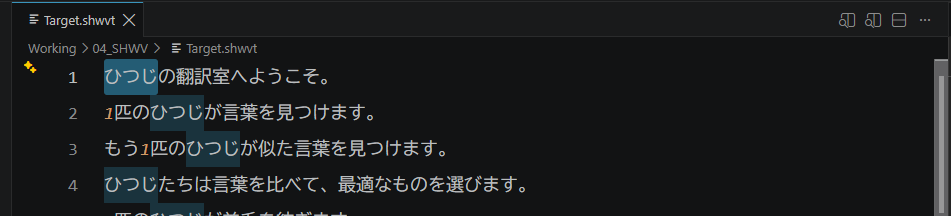
Press
F2.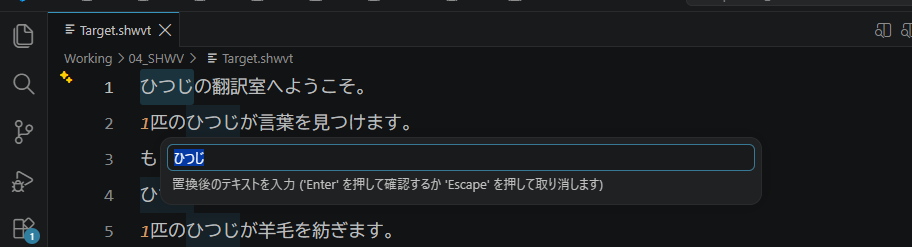
In the popup input box, enter the replacement text and press
Enter.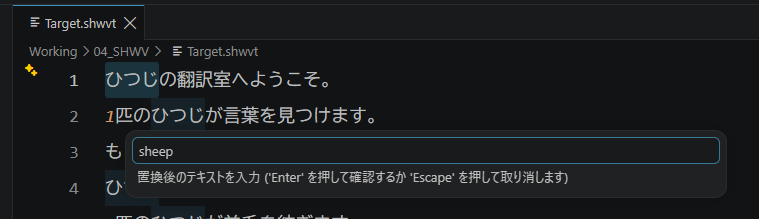
The change is applied across the entire file, and logged into 01_REF/auto_replace_log.jsonl.
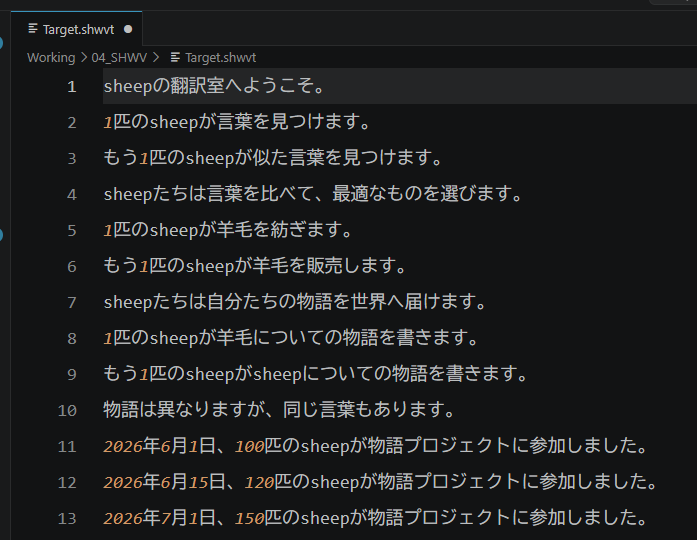
Press Ctrl + Z to undo if needed, or press Esc to cancel the input box.