SheepShuttle Bilingual Data Workflow
SheepShuttle provides comprehensive features for handling bilingual files within SheepComb. You can progress step by step through the top navigation menu.
| Step | Mode | Description |
|---|---|---|
| 1a | Data Extraction | Extract bilingual segments from XLIFF, TMX, TBX, Excel, and CSV files. |
| 1b | Filter & Sampling | Remove duplicate lines, locked segments, or DNT phrases, and generate randomized evaluation samples. |
| 2 | Analysis & Structuring | Cross-reference translation memories (TM) and termbases (TB) and calculate Weighted Word Counts (WWC). |
| 3 | Data Management & QA | Inspect matches, perform automated QA checks (numbers, tags, terminology), and export data. |
| 4 | Build | Re-inject adjusted bilingual data back into original XLIFF files. |
| 5 | AI Request (API) | Send chunked segments and tailored prompts to AI models for batch translation and verification. |
Detailed Step-by-Step Guide
1a: Data Extraction
Start by extracting translation segments from your source files.
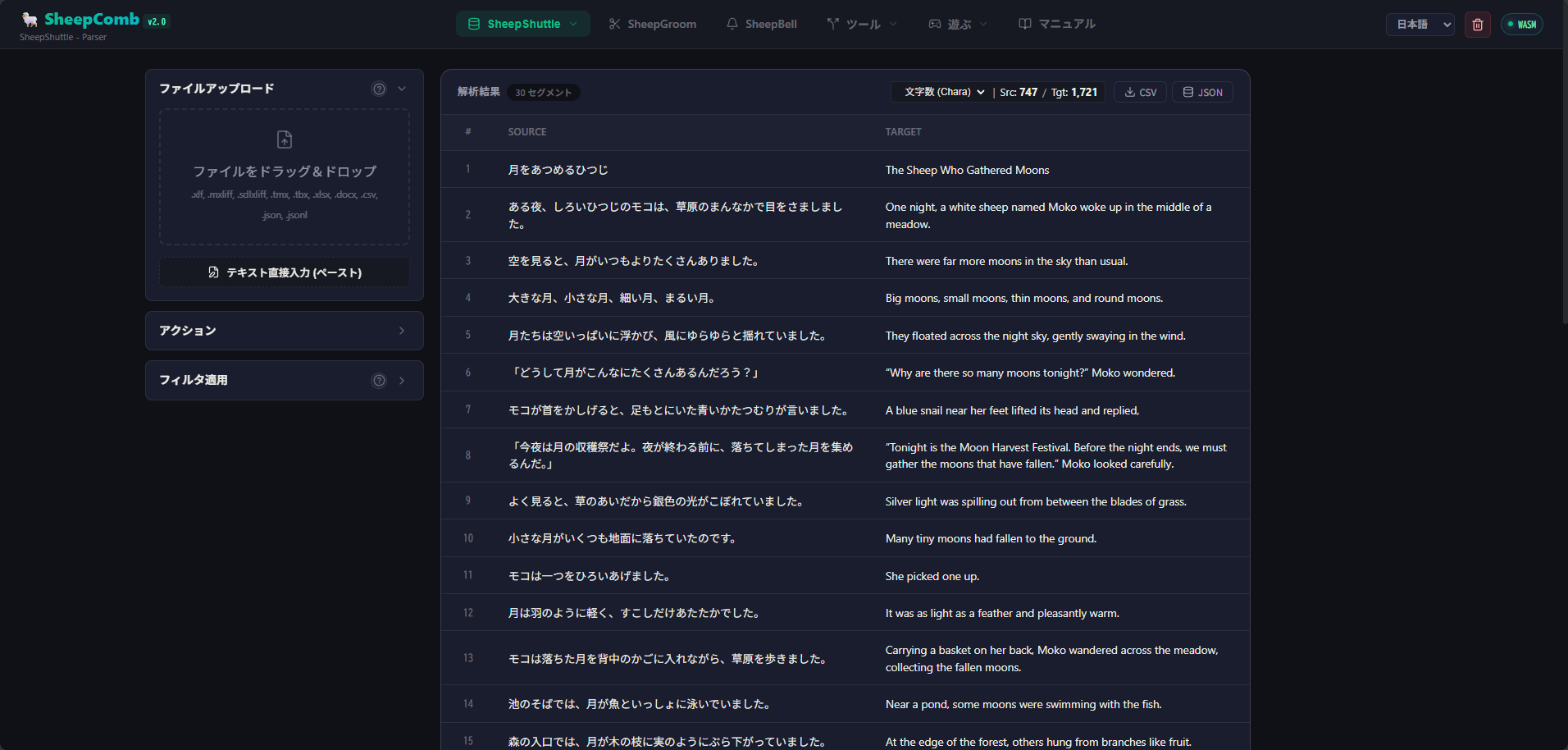
- Select Extract from the menu.
- Drag and drop your file into the top-left upload area, or click to browse.
- Click the Run Extraction button.
Line Breaks in Cells
When extracting from Excel or XLIFF containing internal line breaks, segments are split by line break by default. Uncheck "Split by line breaks" if you prefer keeping cells intact.
Supported Formats
- XLIFF Formats:
.xliff,.xlf,.sdlxliff,.mxliff,.mqxliff - TM & Glossaries:
.tmx,.tbx - Spreadsheets / Tables:
.xlsx(Col A: Source, Col B: Target, Col C+: Notes),.csv,.tsv, Word tables, JSON/JSONL
Volume Counts & Export
Above the table, approximate character and word counts are displayed. Click Chara or Word to switch metrics. Use the CSV or JSON buttons at the top right to download extracted data.
1b: Data Exclusion & Filtering
After extraction, the Action Card reveals Filter and Sampling options.
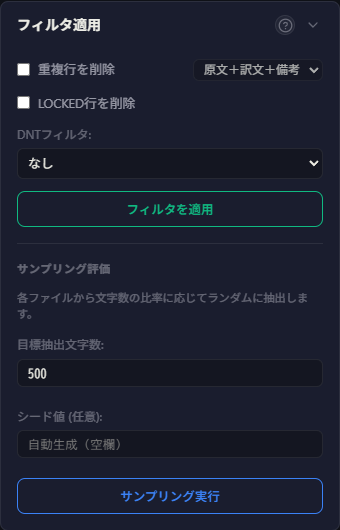
| Feature | Description |
|---|---|
| Remove Duplicate Rows | Automatically eliminates identical source-target pairs beyond the first occurrence. |
| Remove LOCKED Rows | Excludes locked segments (available for .mxliff / .mqxliff). |
| DNT (Do Not Translate) Filter | Identifies and filters out non-translatable segments based on selected criteria. |
Sampling Evaluation
For quality evaluations, extract representative subsets by specifying a target character count and random seed.
2: Analysis & Structuring
Convert extracted data into standardized project data (ShWvData), cross-referencing translation memories (TM) and termbases (TB).
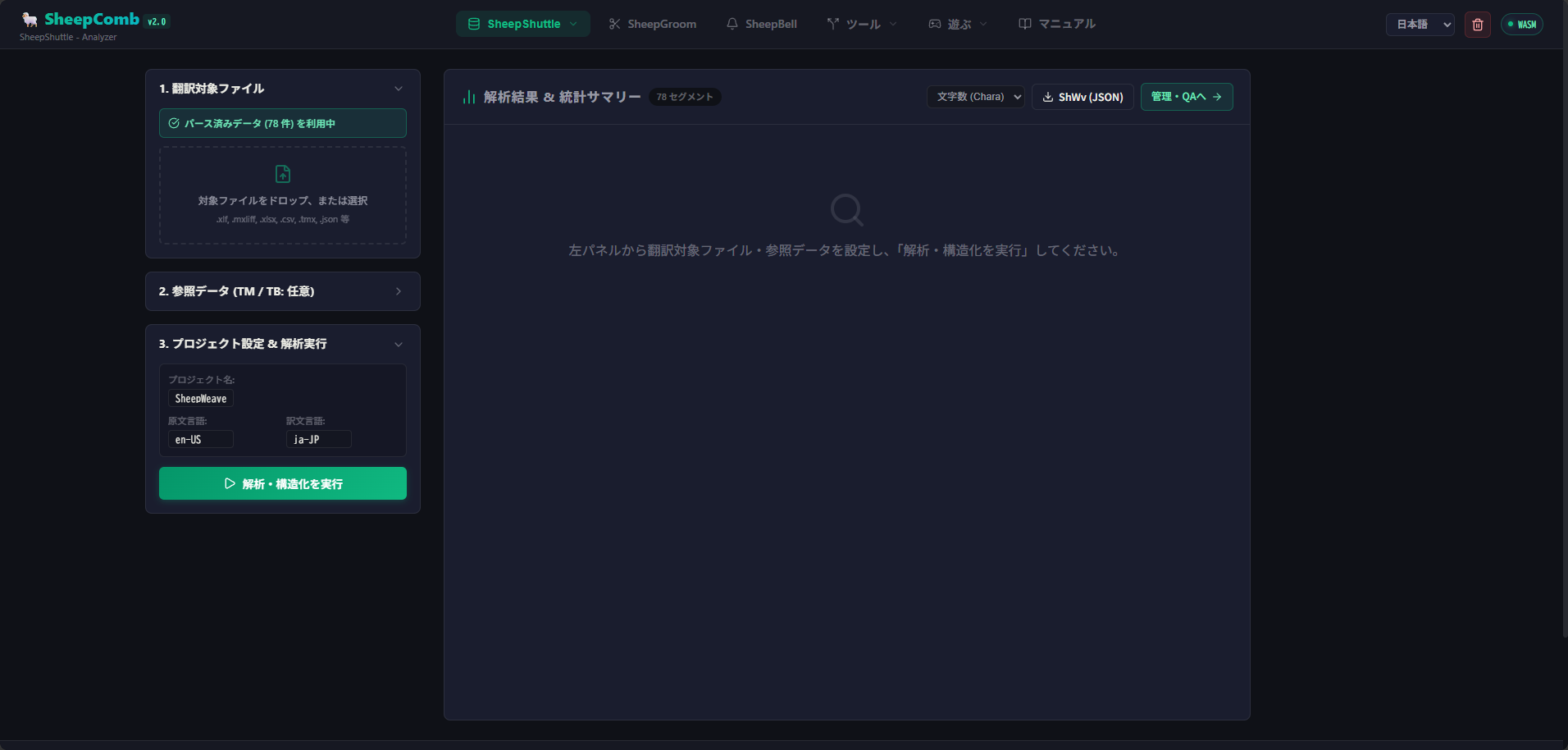
- Select Analysis / Structuring from the menu.
- Add translation memory or glossary files if available.
- Specify project metadata (Project Name, Source Language, Target Language).
- Click Run Analysis & Structuring.
Weighted Word Count (WWC)
Calculates workload metrics based on fuzzy match bands:
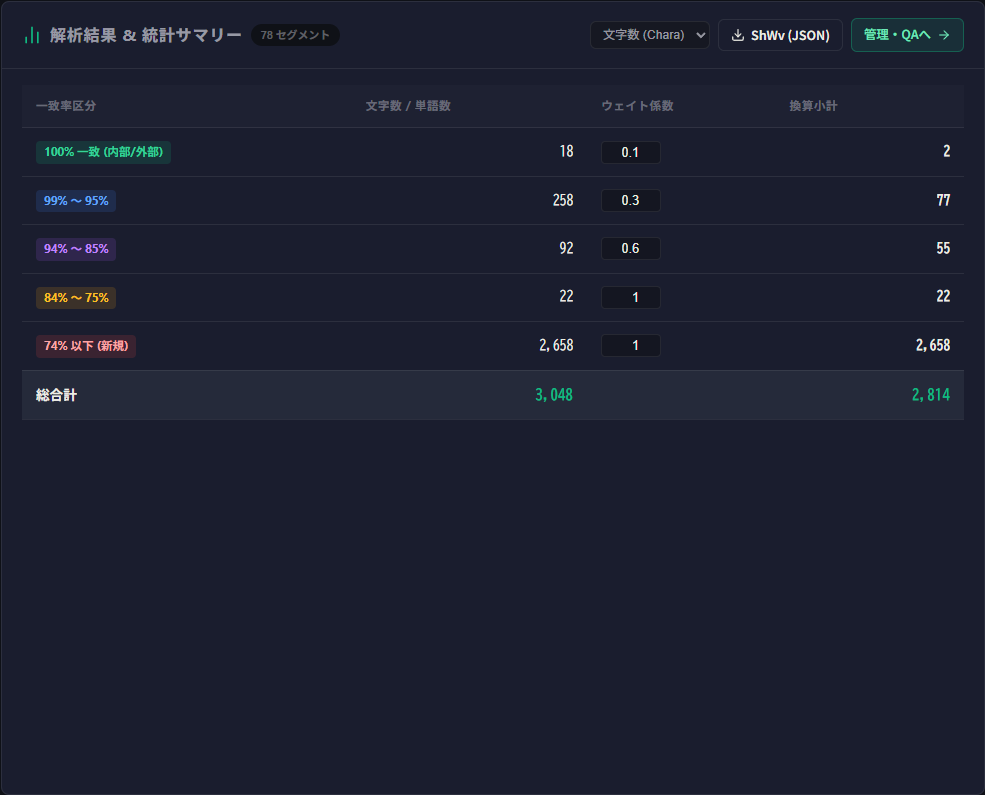
Supported TM & TB Formats
- TM:
.tmx,.xlf,.sdlxliff,.mxliff,.mqxliff,.csv,.xlsx,.json,.jsonl - TB:
.tbx,.xlf,.sdlxliff,.mxliff,.mqxliff,.csv,.xlsx,.json,.jsonl
3: Data Management & QA
Visual Inspection
Inspect matching status with TB terms and TM entries directly in the table:
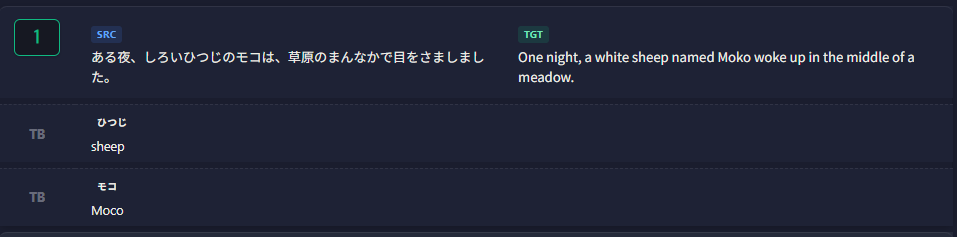
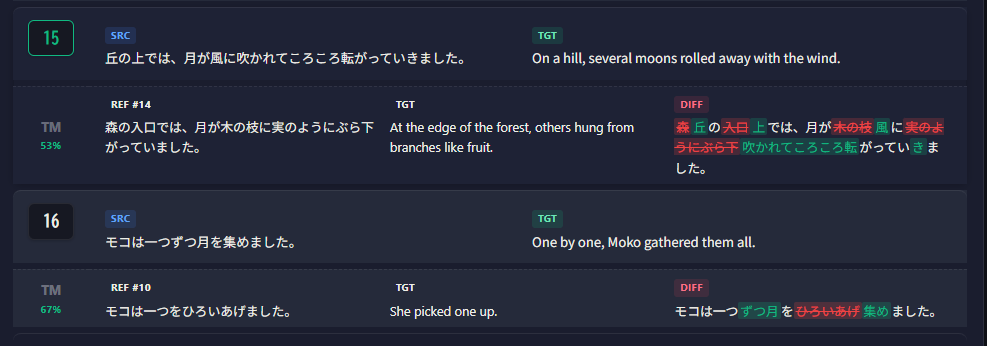
Click any record to inspect detailed match attributes: 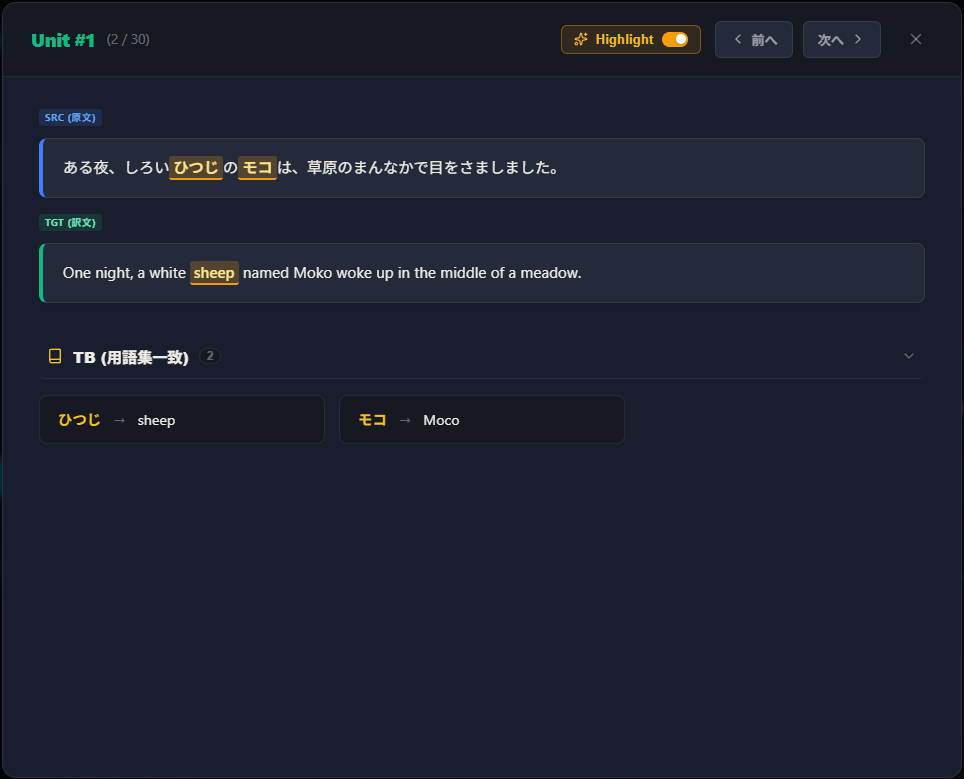
Automated QA Verification
Detect inconsistencies and errors across segments:
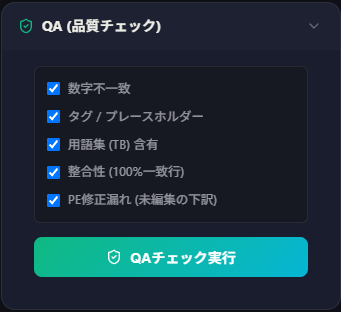
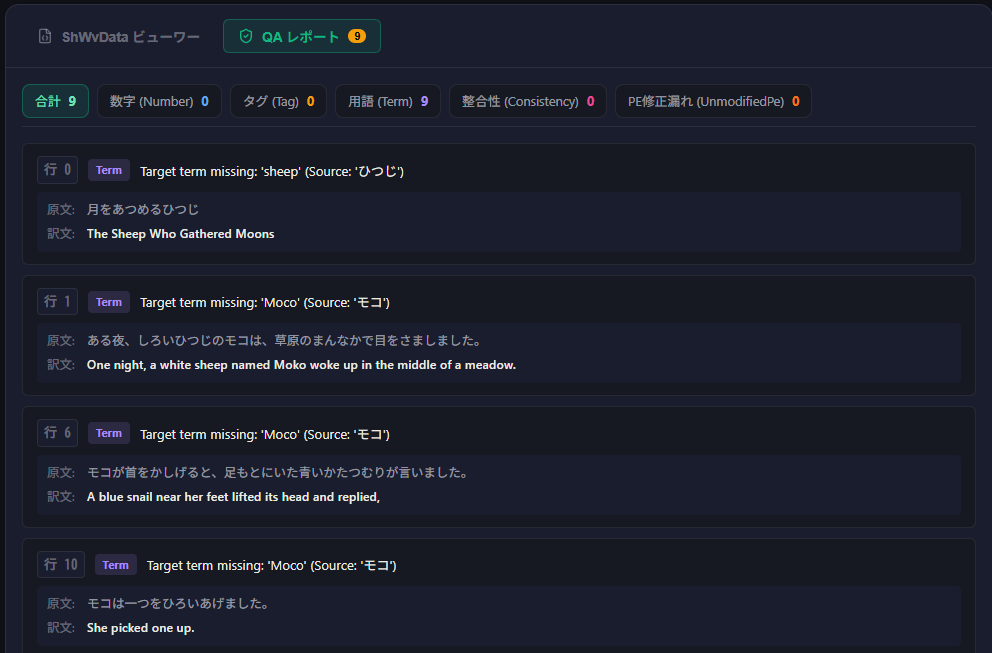
| QA Category | Description |
|---|---|
| Number Mismatch | Flags discrepancies in half-width Arabic numerals between source and target. |
| Tag / Placeholder | Verifies matching pairs of tags (<>, {}, []). |
| Termbase (TB) Consistency | Checks if approved glossary translations are correctly used. |
| Inconsistency (100% Matches) | Flags identical source segments with differing translations. |
| Unedited Post-Edit Leaks | Detects unchanged draft translations where sibling segments were modified. |
File Conversion & Export
Export project datasets or prepare chunked files for AI processing:
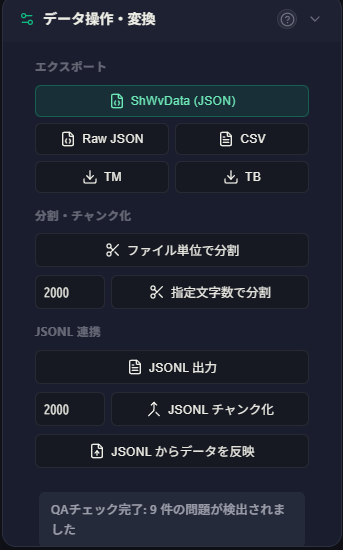
- JSON Export / Import: Save full project state (
.json) or resume previous sessions. - AI Chunks: Split by file boundary or specific character limits.
- JSONL Export / Import: Export for LLM pipelines and re-import completed outputs.
4: Build
Reconstruct translated bilingual files into CAT-ready formats (e.g., XLIFF):
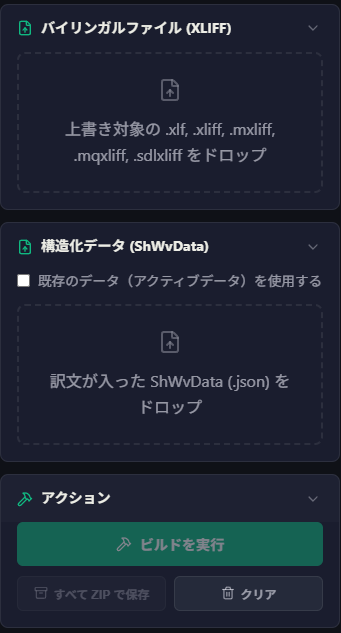
Select the original bilingual XLIFF and the structured project dataset, then click Start Build to export XLIFF files with updated <target> tags.
5: AI (LLM) Integration
Integrate with SheepBobbin to run batch AI translation or linguistic verification.
- Select API from the menu.
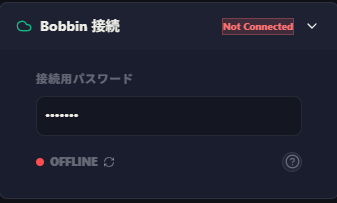
- Enter the connection password to establish communication with SheepBobbin.
- Click Create Chunks to divide dataset into manageable blocks.
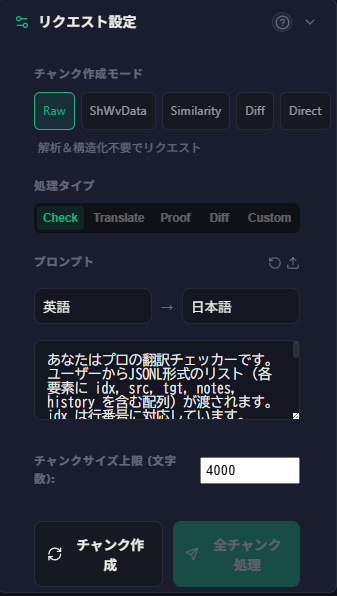
- Configure task parameters:
- Task Type:
Check,Translate,Proof,Diff, orCustom. - Languages: Replaces
{source_lang}and{target_lang}in prompt templates. - Prompt: Customize instructions or load saved templates.
- Task Type:
- Click Process All Chunks to send requests sequentially.
- Review AI findings and suggestions:
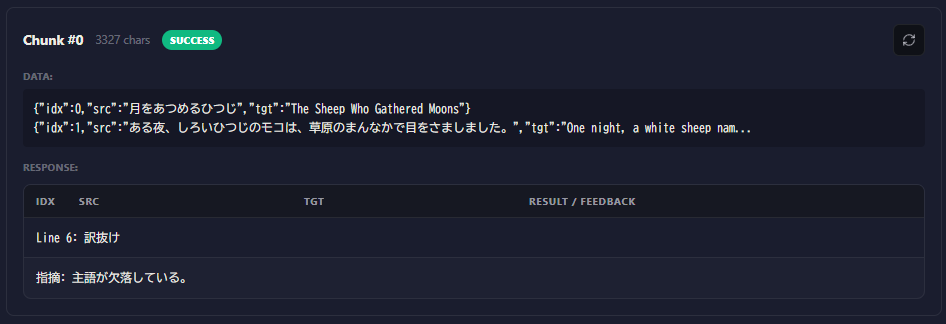
- Click Export CSV to download results.
Re-running Single Chunks
Click the refresh button on individual chunk headers to re-execute single blocks. 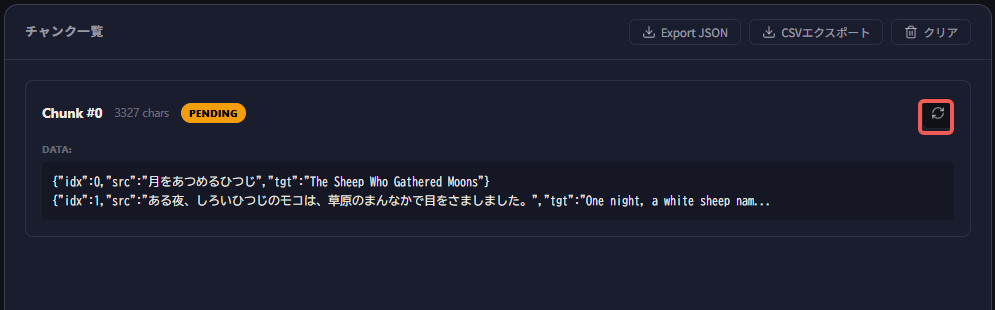
Task Types Reference
| Type | Payload Contents | Recommended Use Case |
|---|---|---|
| Check | src, tgt, note | AI translation review without TM/glossary noise |
| Translate | src, note | New translations or drafting from reference |
| Proof | tgt | Monolingual fluency check |
| Diff | src, tagged tgt, note | Revision evaluation |
| Custom | Customizable (src, tgt, note, history, terms) | Advanced contextual prompting |
TOON Support (Experimental)
While JSONL is a well-suited format for LLMs, it often leads to higher token usage due to repetitive key names. To address this, TOON (Token-Oriented Object Notation) was developed. TOON is a data format designed specifically for LLMs, expected to reduce token usage by approximately 30–60% compared to JSON.
SheepShuttle supports chunk creation and API requests in TOON format.
TOON support is an experimental feature
While confirmed to work reliably for standard translation and review tasks, complex requests with extensive contextual data—such as history or terminology—have not been fully verified. We recommend starting with simpler use cases such as checking and proofreading.