WARNING
This page is machine-translated by Gemini.
Connecting to Cloud LLMs
SheepBobbin supports seamless integration with various cloud-based LLMs.
Google AI Studio
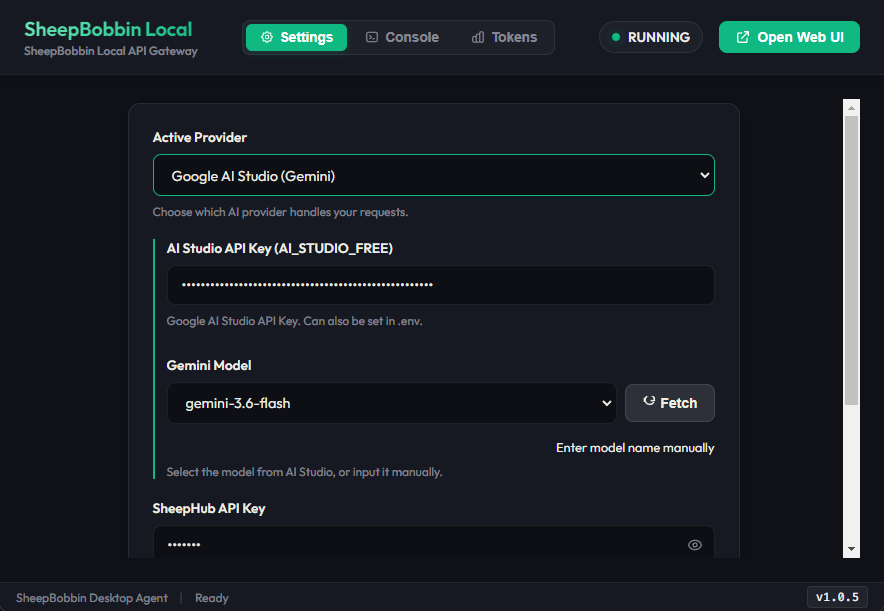
AI Studio allows quick generation of API keys directly in the browser. Log in to AI Studio with your Google account and click "Create API key". A popup will appear where you can enter a project name (creating a new project is fine). Once created, copy the API key. In SheepBobbin's Active Provider dropdown, select AI Studio and paste the key. SheepBobbin will query available Gemini models (or click Fetch manually). Once the model list is populated, communication is successful and you are ready to process data in SheepCombWeb.
TIP
AI Studio offers both free and paid tiers. Free-tier API calls may be used for model training according to Google's terms. Setting up billing on your API key upgrades it to a paid key where user data is not used for training. SheepBobbin executes requests with any valid active key regardless of free/paid status. Exercise strict caution regarding confidential client information.
ChatGPT (OpenAI)
OpenAI (ChatGPT) API keys can be generated from the OpenAI Platform.
- Access the OpenAI Platform and log in (or sign up) with your OpenAI account.
- Open API keys in the left sidebar (or via the settings menu in the top right).
- Click the "Create new secret key" button.
- Enter a name (e.g.,
SheepBobbin), optionally select a Project, and click "Create secret key". - The generated API key (starting with
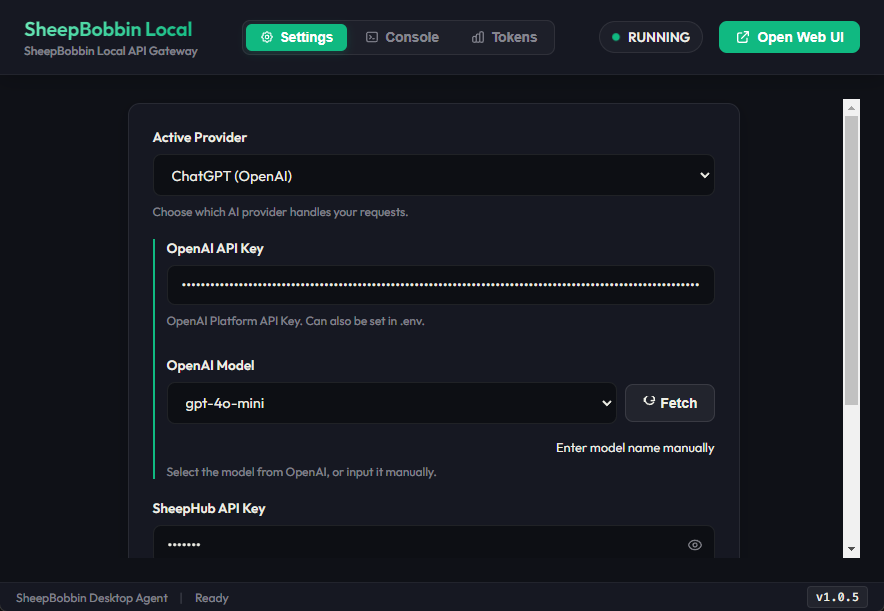
sk-...) will be displayed. This is the only time the full key will be shown, so make sure to copy and save it in a secure location. - In SheepBobbin, select ChatGPT (or OpenAI) as the Active Provider and paste the API key. Click Fetch to the right of the OpenAI Model dropdown; once the model list (
gpt-4o,gpt-4o-mini, etc.) appears, setup is complete.
TIP
- Difference from Web Subscriptions (ChatGPT Plus / Team): Having a ChatGPT Plus ($20/month) subscription does not include API usage. To use the API, you must prepay and add credit balance (starting from ~$5) under Settings > Billing in the OpenAI Platform.
- Data Privacy: Data sent via the OpenAI API is not used to train OpenAI models by default.
DeepSeek
DeepSeek API keys can be obtained from the DeepSeek Platform.
- Access the DeepSeek Platform and sign up or log in.
- Click "API keys" in the left menu.
- Click the "Create API key" button.
- Enter an identifier name (e.g.,
SheepBobbin) and create the key. - Copy and store the generated API key (starting with
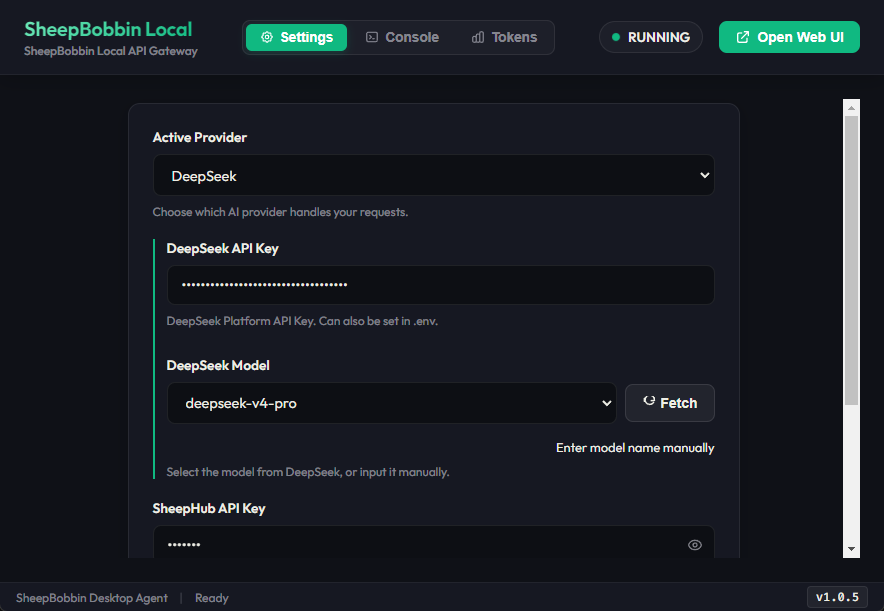
sk-...) securely (it cannot be viewed again). - In SheepBobbin, select DeepSeek as the Active Provider and paste the API key. When available models (
deepseek-chat,deepseek-reasoner, etc.) are listed, connection is confirmed.
TIP
- Prepaid Credits: To use the DeepSeek API, you need to add a small amount of credit via the Top up menu on the left.
- Data Privacy: Data transmitted via the API is not used for model training.
WARNING
While DeepSeek features very low baseline pricing, as of September 8, 2026, its default settings tend to consume a large number of tokens during translation tasks. We are currently investigating the causes and optimal configurations, but we recommend considering alternative providers/models for translation workflows in the meantime.
Claude (Anthropic)
Claude API keys can be generated from Anthropic's developer console: Anthropic Console.
- Access the Anthropic Console and create an account or log in.
- Click "Get API Keys" on the dashboard or open the API Keys page from the top-right menu.
- Click the "Create Key" button.
- Enter a name (e.g.,
SheepBobbin) and click "Create Key". - Copy and safely store the generated API key (starting with
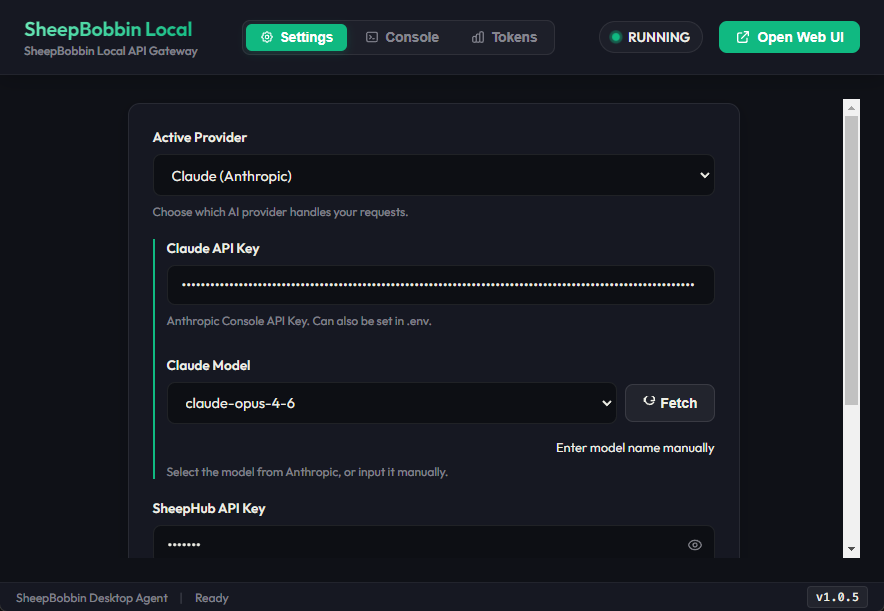
sk-ant-...). - In SheepBobbin, select Claude (Anthropic) as the Active Provider and paste the API key. Available models (
claude-3-5-sonnet,claude-3-5-haiku, etc.) will appear.
TIP
- Difference from Web Subscriptions (Claude Pro): Independent of any Claude Pro subscription, API usage requires purchasing prepaid credits via Plans & Billing in the Anthropic Console.
- Data Privacy: Data sent through Anthropic's commercial API is not used to train models.
Vertex AI (Google Cloud)
Vertex AI is Google's enterprise-grade PaaS on Google Cloud Platform (GCP). While powered by the same foundation models as AI Studio, Vertex AI offers dedicated enterprise quotas, robust security certifications, and high-concurrency stability.
Setup requires a GCP account, project configuration, and billing setup. If you prefer a streamlined experience without managing GCP infrastructure, consider our upcoming shared enterprise service.